Solutions / Tympanometers / How to perform TEOAE on the Titan without using a PC
How to perform TEOAE on the Titan without using a PC
How to perform TEOAE on the Titan without using a PC
Learn how to perform handheld TEOAE with the Titan.
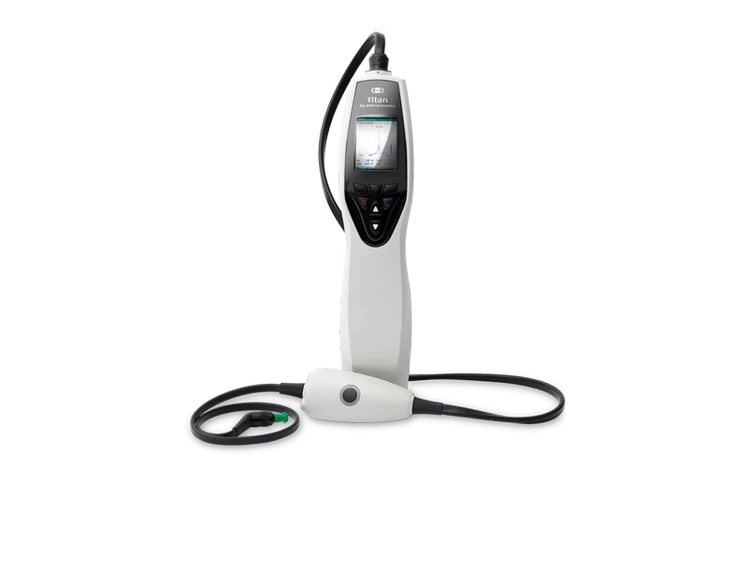
Titan Support
Turn on Titan by pressing the R or L button.
Choose the test protocol from the list using the up & down arrow keys and then press Select.
To use a different protocol than the one selected, press Protocol and then repeat step 2 above.
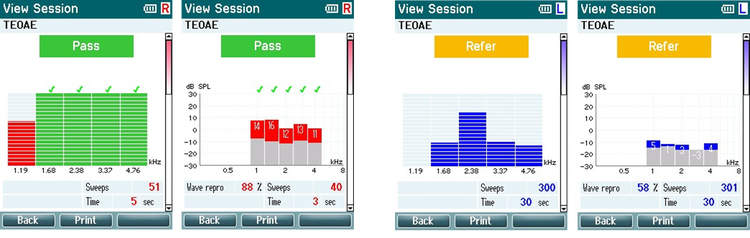
Select the ear for testing.
The ideal test environment is a quiet room. High ambient background noise adversely affects OAE measurements.
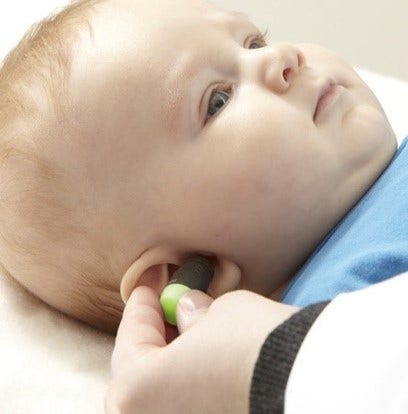
The baby should be sleeping or in quiet relaxed state. Sucking, blinking, crying or movement may affect testing.
Place the probe in the ear – the light will turn green when a good seal is obtained.
Press the START button on the Titan or press the shoulder box button.
Contact your local distributor
Our world-wide experts are ready to help you find the right solution.