Solutions / Pt / Audiometer Keyboard
Audiometer Keyboard

Audiometer Keyboard

O Teclado Audiométrico sustenta uma transição perfeita de um audiômetro autônomo para um baseado em computador.
Get a quote Find a distributor
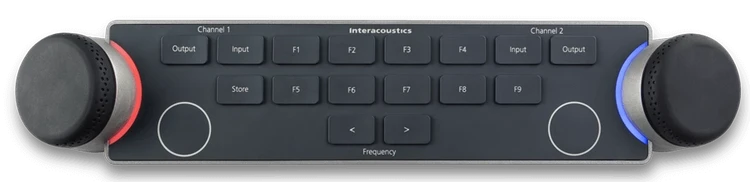
Audiometer Keyboard seen from above. There are two dials located on the left and right sides of the keyboard. The dials are encircled by LED lights which indicate different functions when in use. There are several keys between the multi-functional dials, which include and are not limited to input and output for channels one and two, store, two keys to decrease or increase the intensity, and nine F-keys labeled F1 to F9.

Tornando a audiometria confortável

Soluções PEATE EOA Audiômetros Timpanômetros Adaptação de aparelhos auditivos Equipamentos de equilíbrio Sistema de pesquisa Equipamentos de reabilitação

Sobre nós Nossa história Sustentabilidade Sustentabilidade ambiental Pesquisa Unidade de Pesquisa Pesquisa ACT Sistemas de pesquisa
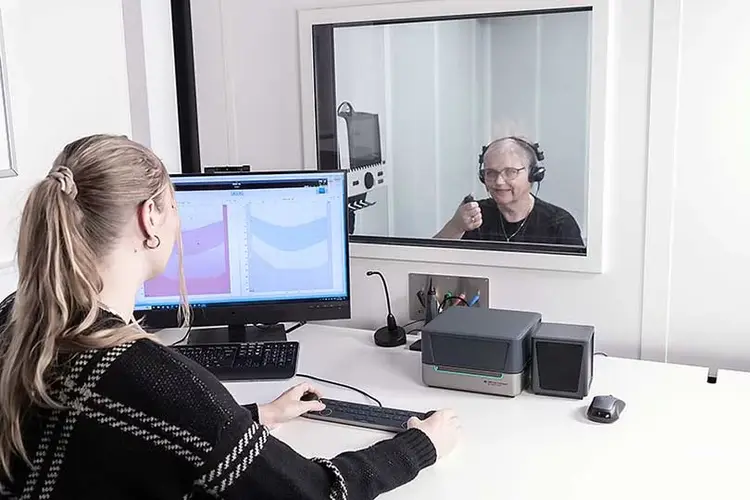

Female clinician sat at a white desk with the Audiometer Keyboard, Affinity Compact, mouse, speaker, microphone, PC keyboard, and a computer screen displaying audiometry software. The clinician is operating the Audiometer Keyboard, with her hands placed on its two dials. The clinician is looking through a window behind which a female patient is sat in a booth. The patient has headphones on and is pressing a patient response button.

Rasna Kaur Mistry, BSc (Hons) Audiology

Audiometer Keyboard on a white desk in front of a PC keyboard and the Affinity Compact. A person is operating the keyboard, with their hands placed on the two dials located on the left and right sides of the keyboard. There are several keys between the multi-functional dials, which include and are not limited to input and output for channels one and two, store, two keys to decrease or increase the intensity, and nine F-keys labeled F1 to F9.

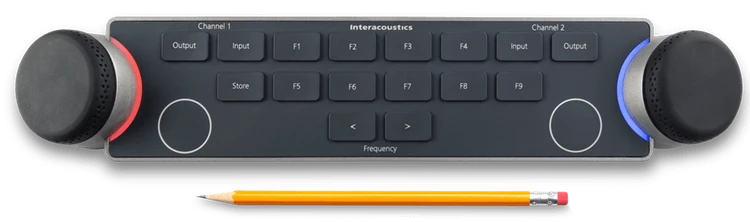
Audiometer Keyboard seen from above with a pencil below. For size comparison, the pencil is approximately two thirds the width of the keyboard. There are two dials located on the left and right sides of the keyboard. The dials are encircled by LED lights which indicate different functions when in use. There are several keys between the multi-functional dials, which include and are not limited to input and output for channels one and two, store, two keys to decrease or increase the intensity, and nine F-keys labeled F1 to F9.

Contact your local distributor

Our world-wide experts are ready to help you find the right solution.
Find a distributor