How to Perform a Test in OtoAccess® Database
How to Perform a Test in OtoAccess® Database
Learn how to perform tests with OtoAccess® Database.
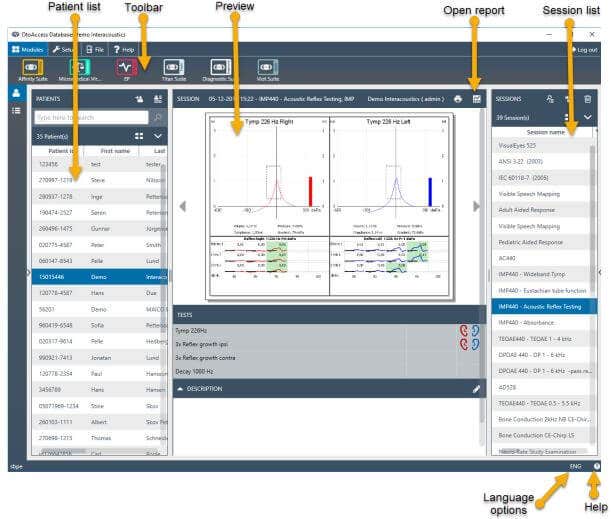
Overview
Compatible equipment software installed, is visible in toolbar
Patient created, see Quick guide create/delete/edit patient
Choose patient in the patient list.a. If there are existing sessions on the patient, these will be visible in the Session list.b. Choosing sessions will show session preview if available and you can open the test report if available.c. Double-clicking the session will open the session in the equipment software.
Click on the software tool that you want to use in the Toolbar. Perform tests on the selected patient.When you save a session it will automatically be saved to OtoAccess® Database.
Contact your local distributor
Our world-wide experts are ready to help you find the right solution.