Solutions / OAE Devices / How to Upgrade the Firmware
How to Upgrade the Firmware
How to Upgrade the Firmware
Learn how to upgrade the OtoRead™ firmware.
OtoRead™ Support
Unzip the provided firmware file (e.g., IA_ReflashTool_11202.zip)
Unzip the provided firmware file (e.g., IA_ReflashTool_11202.zip)
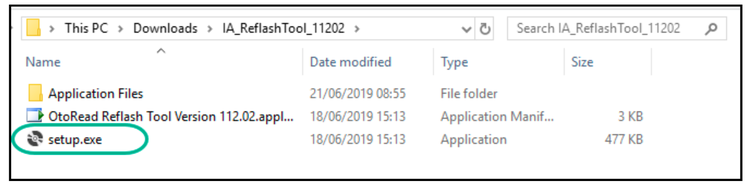
Open the unzipped folder and double click on setup.exe
Open the unzipped folder and double click on setup.exe
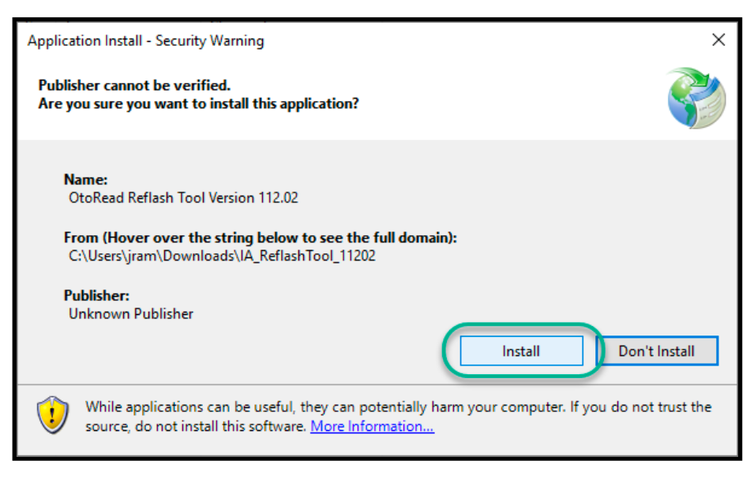
The application install window will appear. Click on Install
The application install window will appear. Click on Install
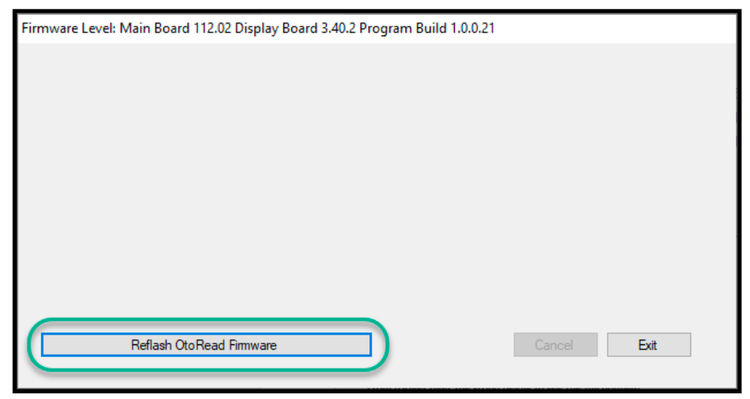
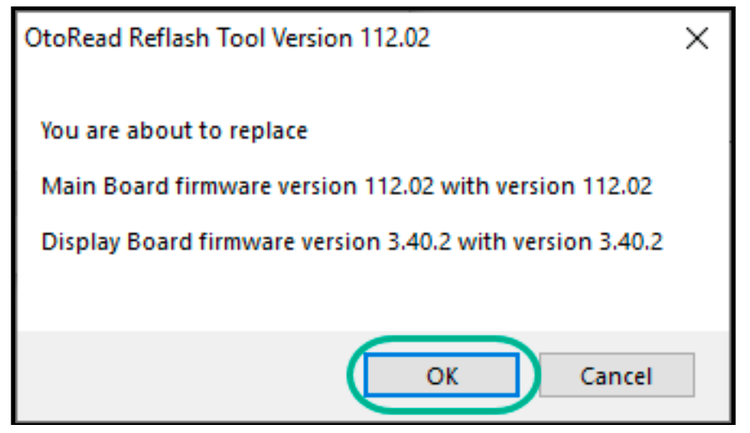
The firmware updater software is now installed and ready to use.
The firmware updater software is now installed and ready to use.
Contact your local distributor
Our world-wide experts are ready to help you find the right solution.