Solutions / Hearing Aid Fitting / Visible Speech Mapping
Visible Speech Mapping

Visible Speech Mapping

Learn how to perform visible speech mapping with the Callisto™ device.
Get a quote Find a distributor
Middle-aged man with REM headband placed on his right ear.

Callisto™ Support

Verification of the hearing aid fitting is a very important part of the fitting process. To try to make this process a bit easier, rather than using traditional real-ear measurements, hearing care professionals can use the Visible Speech Mapping modules in the Affinity2.0 and Callisto™ suites. Visible Speech Mapping is an intuitive tool which helps hearing care professionals better explain the benefits of amplification.

Speech Mapping is a Real Ear Aided Response (REAR) measurement; therefore the same equipment that is needed for a REAR is also needed. To start, follow the steps below.
Launch the Affinity2.0 or Callisto™ Suite through your patient management system, Noah, OtoAccess® or Standalone.
Enter/Select an audiogram from Noah or from the AUD module (if using Standalone). If no audiogram is entered or selected, no targets will be displayed.
Launch the REM module by clicking on the REM tab.
Connect the REM headset to the Affinity2.0 or Callisto™ hardware.
Connect a probe tubes to the REM reference microphones.
Click on the Tube Calibration button and follow the instructions on the screen.

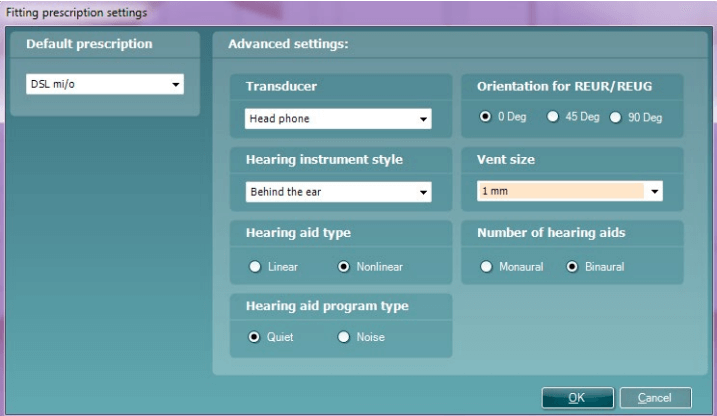
Fitting prescription settings window. The default prescription is set to DSL mi/o. The following advanced settings are available: 1) Transducer, which is set to head phone. 2) Hearing instrument style, which is set to behind the ear. 3) Hearing aid type, which can be set to linear or non-linear. 4) Hearing aid program type, which can be set to quiet or noise. 5) Orientation for REUR/REUG, which can be set to 0, 45, or 90 degrees. 6) Vent size, which is set to 1 mm. 7) Number of hearing aids, which can be set to monaural or binaural.

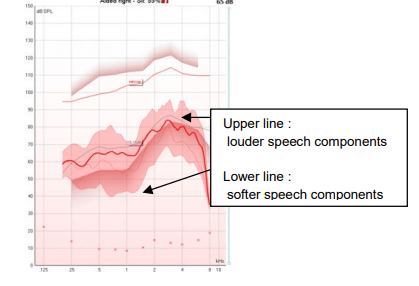
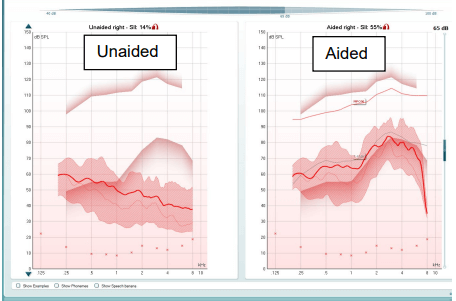
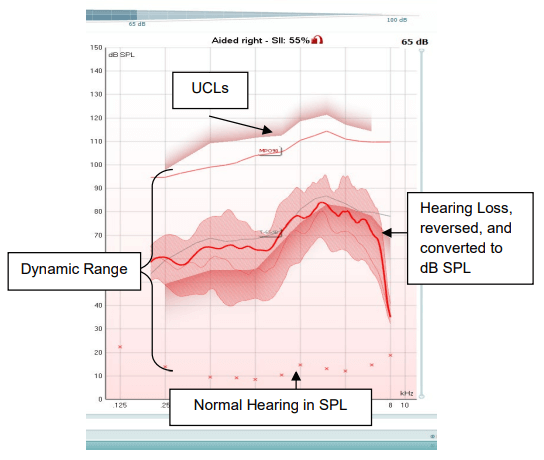
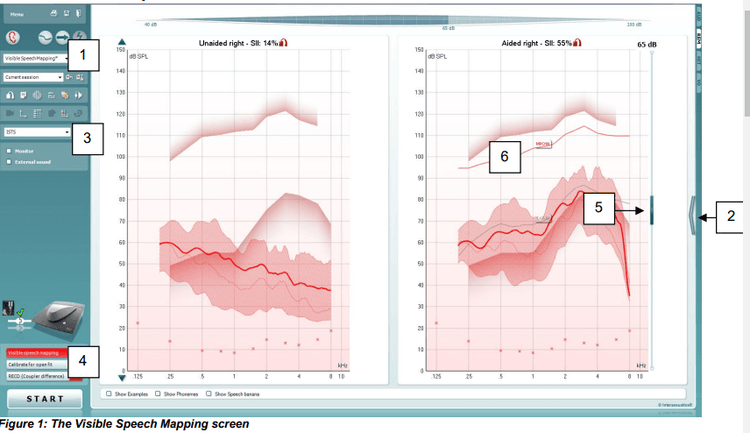
Aided measurement that displays thresholds above softer speech components, but below louder speech components.

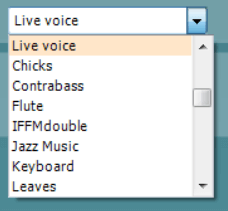
List of sounds, including live voice, chicks, contrabass, flute, IFFMdouble, jazz music, keyboard, and leaves.

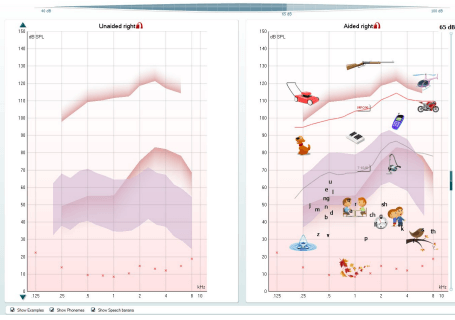
Empty unaided measurement for the right ear, and an aided right screen with counseling overlays, including phonemes and various familiar sounds. For example, a lawnmower is located at 0.25 kHz, 110 dB SPL, while leaves are located at 1 kHz, 10 dB SPL.

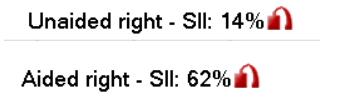
Unaided right SII of 14% and aided right SII of 62%.

Contact your local distributor

Our world-wide experts are ready to help you find the right solution.
Find a distributor