Solutions / Hearing Aid Fitting / How to perform frequency lowering verification
How to perform frequency lowering verification
How to perform frequency lowering verification
In this Affinity 2.0 quick guide, you'll learn how to determine if you should apply frequency lowering and how to verify the frequency lowering feature.
How to determine if frequency lowering should be applied
1. Launch Affinity/Callisto Suite.
2. Ensure an audiogram is entered.
3. Navigate to REM module.
4. Fitting prescription setting will automatically pop up, adjust as needed, then click ‘Okay’.
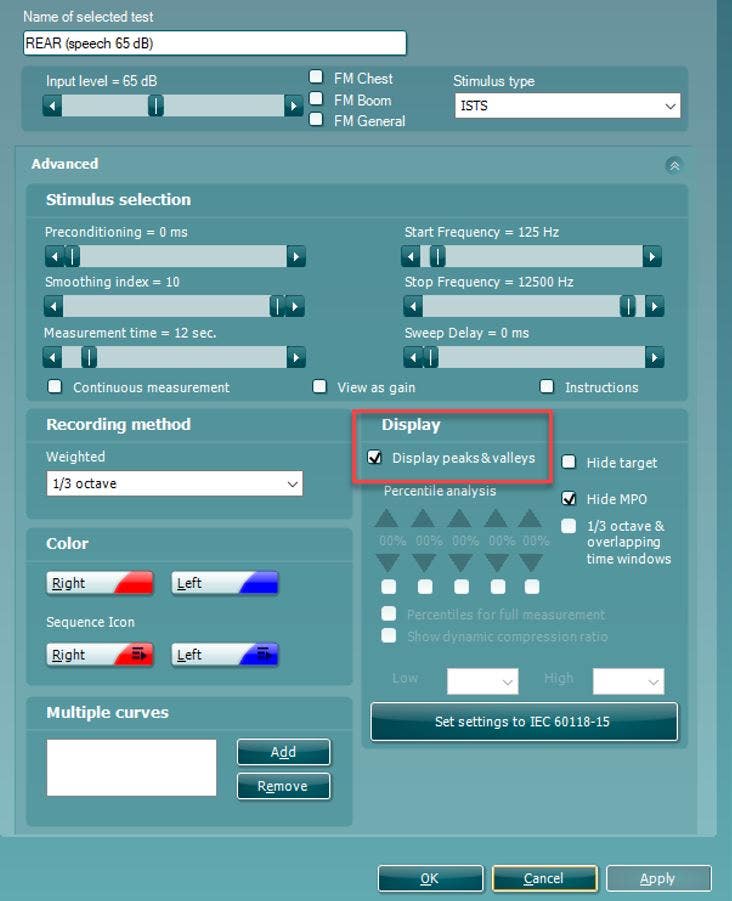
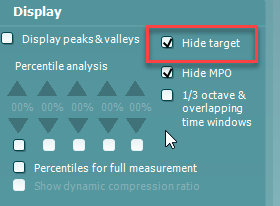
5. Make sure to go into settings for the measurements and activate percentile analysis (Figure 1).
6. Perform Real Ear Measurements as per usual and fit your hearing aids to target:
Make sure to run the ‘Calibrate for Open Fit’ with the /ss/ stimuli along with the usual ones.
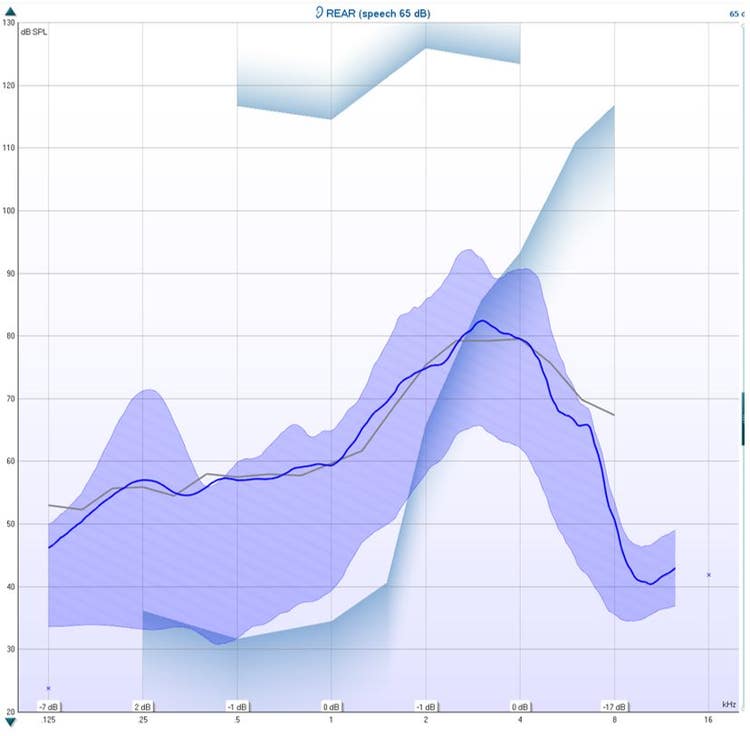
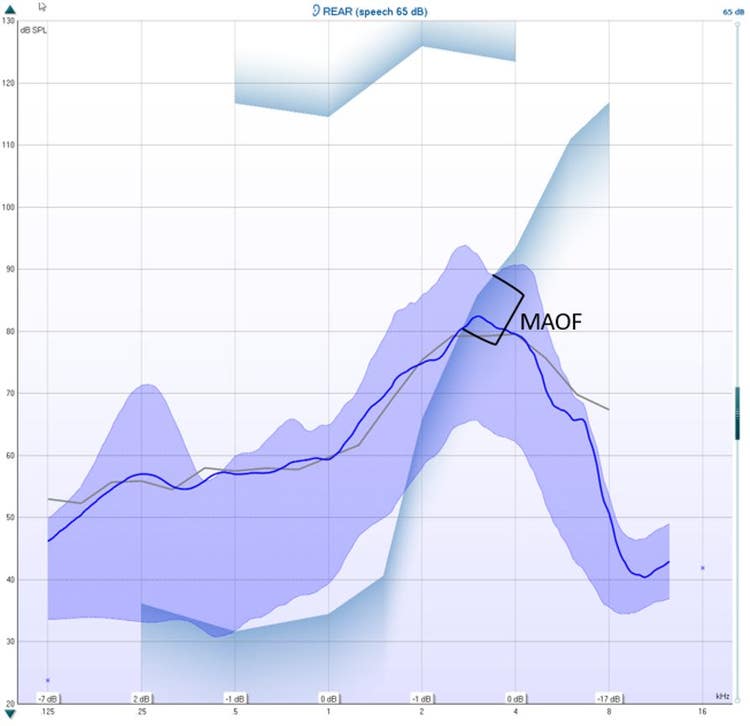
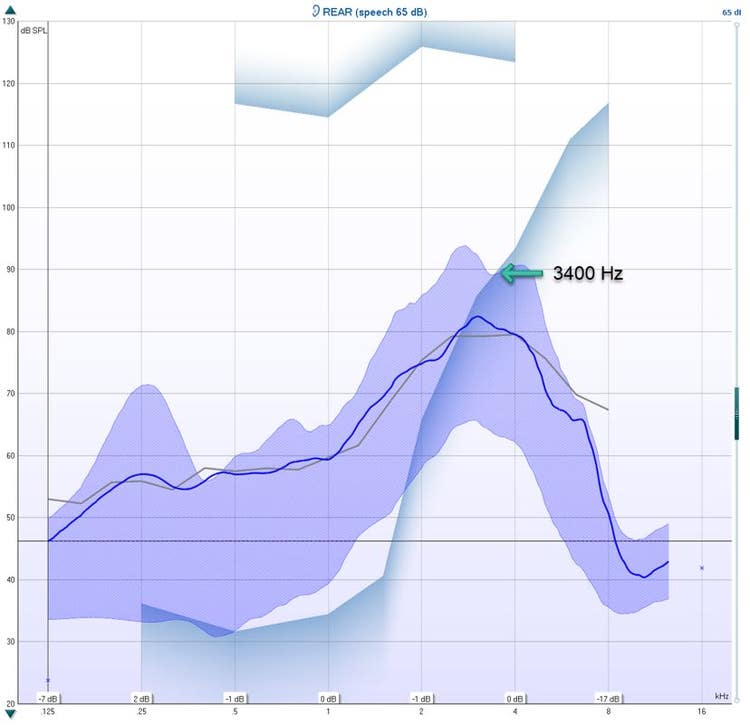
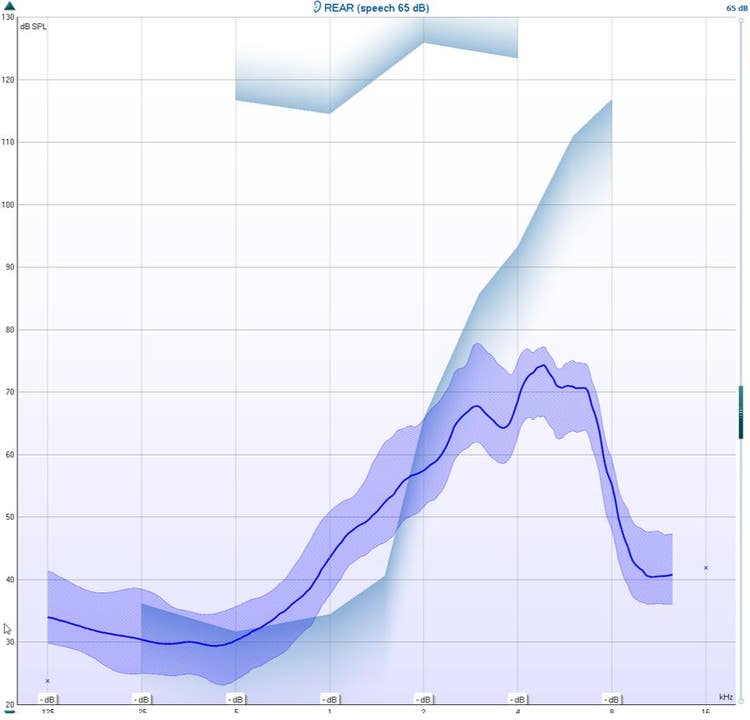
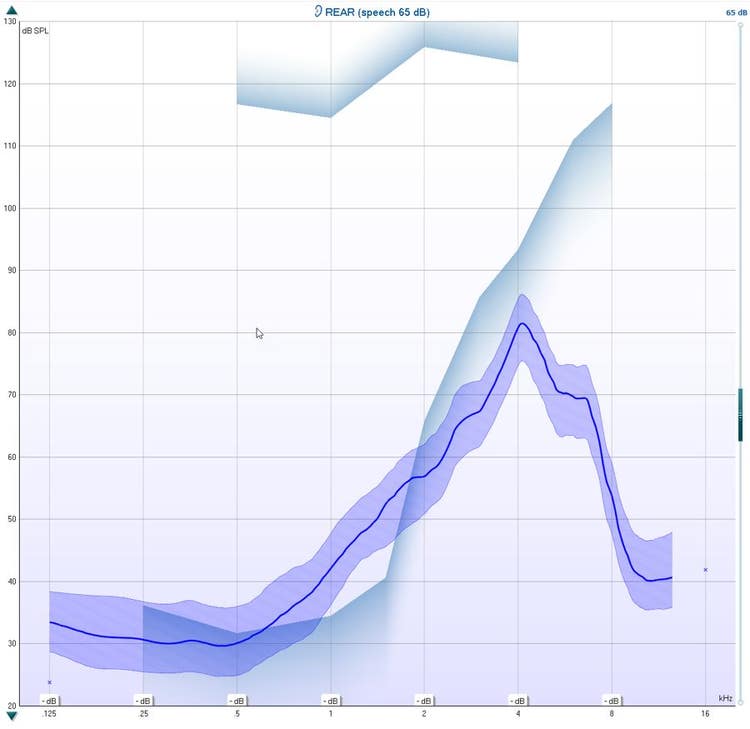
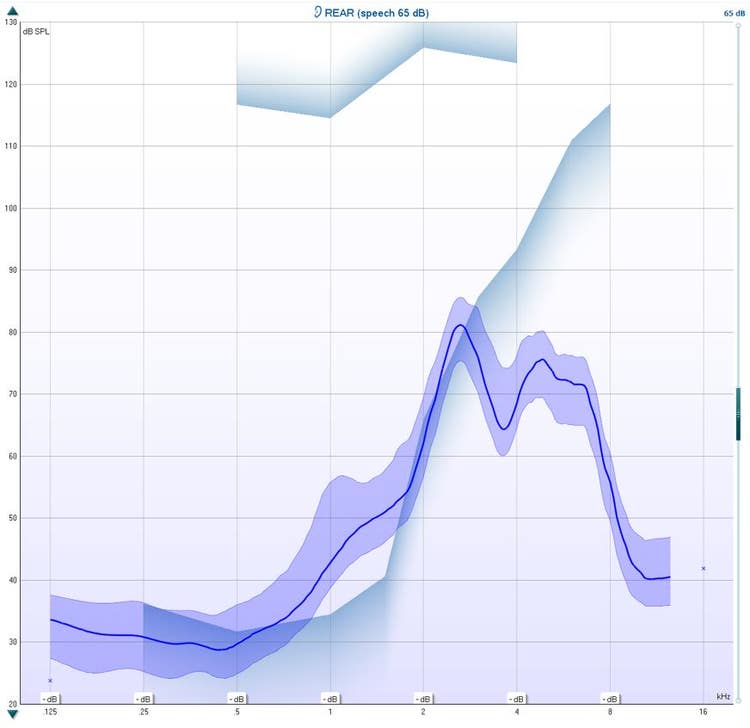
You need to measure an LTASS at 65 dB SPL as minimum (Figure 2).
Contact your local distributor
Our world-wide experts are ready to help you find the right solution.