Solutions / Hearing Aid Fitting / Speech in Noise (SIN) Test
Speech in Noise (SIN) Test
Speech in Noise (SIN) Test
Learn how to perform the speech in noise (SIN) test with the Affinity Compact.
Affinity Compact Support
The SIN test is a method of testing a patient’s functional hearing in the presence of competing sound (Taylor, 2003). The objective of this is to identify their functional hearing ability and higher processing which allows them to sort between useful (speech/signal) and irrelevant (noise/masking) information (Taylor, 2003). The outcome of this investigation will give a Speech Recognition Threshold (SRT) for a varying Signal to Noise Ratio (SNR).
This type of testing is different from Tone Audiometry as it involves higher areas of the Auditory pathway as the information needs to be heard, sorted and understood in order to determine if it is useful or not (Marrone et al., 2008).
The SIN test is designed to be performed via loudspeaker as it is a free field test. However it can be configured to perform monaurally via selection of headphones and routing the masking to the same output.
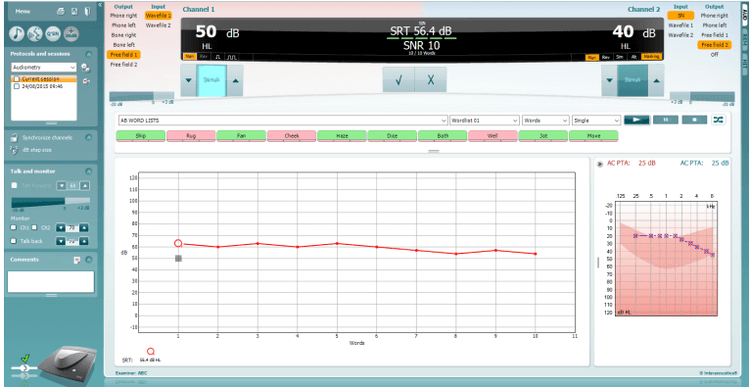
The SIN test is very similar to Speech Audiometry and can use any of the materials you have already ripped into your Interacoustics Suite software. However the Signal-to-Noise Ratio is maintained automatically by the software following a correct or incorrect response to the stimulus, this helps to speed up the test time.
It is normal to perform this following Tone Audiometry as it gives a good indicator of the patient s performance for speech in noise. It can also be used before and after the provision of hearing aids to give an identification of the benefit achieved through amplification (Marrone, Mason and Kidd, 2008).
Launch the Affinity Suite from Noah or OtoAccess®.
Click on the AUD tab on the upper right hand side of the screen. Ensure that your Audiometry has been performed ahead of advancing into the SIN test as this determines the start level for the test.
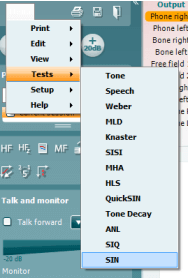
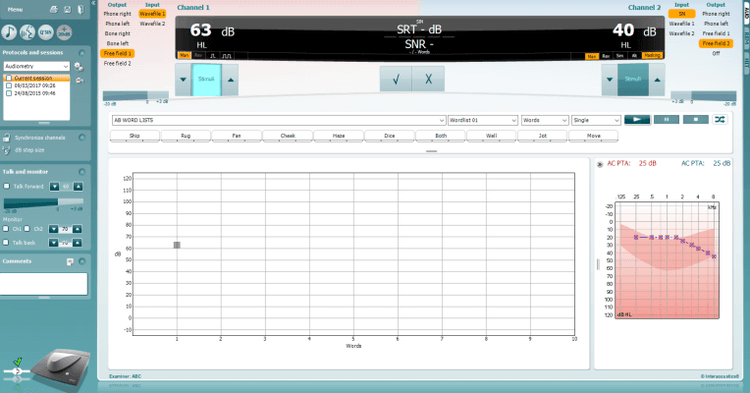
Click on Menu, Tests and then select SINOnce in the SIN test screen, the stimuli levels should be set for you. These are based on the patient audiogram and the PTA score.
Contact your local distributor
Our world-wide experts are ready to help you find the right solution.