Solutions / Hearing Aid Fitting / Listen to Coupler/Probe Microphones
Listen to Coupler/Probe Microphones
Listen to Coupler/Probe Microphones
Affinity Compact has a feature which allows you to listen directly to the probe tube or coupler microphone to hear what the hearing is doing.

Introduction
It can sometimes be difficult to understand feedback from your patient regarding how their hearing aid sounds. The Affinity Compact has a handy feature which allows you to listen directly to the probe tube microphone or coupler microphone to hear exactly what the hearing aid is doing.
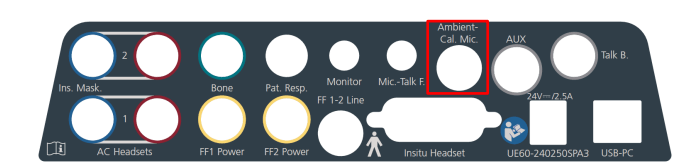
Enter your REM module as you would normally. Ensure you have a monitor headset plugged into your Affinity Compact, the socket which this is connected to is shown below.
Connect probe tubes to the REM reference microphones.
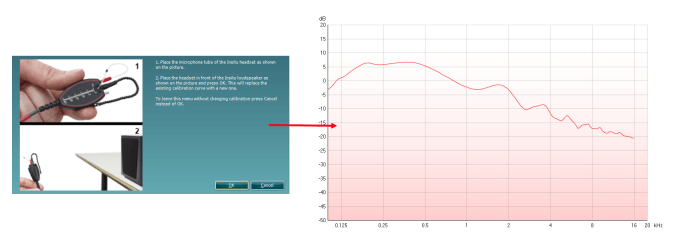
Click on the Tube Calibration button and follow the instructions on the screen, this process ensures that the probe tube is made acoustically invisible – enabling an effective display of the actual gain achieved at the tympanic membrane by the hearing aid.
Position the patient approximately 0.5 metres from the REM loudspeaker.
Perform otoscopy to ensure the ear canal is clear.
Place the REM tubes inside the patient’s ears and aim to use a marker of roughly 28mm (female) and 30mm (male) on the probe tubes. This helps to get the open end of the tube in an optimum recording position (BSA, 2018).
Choose the protocol you would normally use in your system.

Contact your local distributor
Our world-wide experts are ready to help you find the right solution.