Introduction
Free field measurements are really valuable when it comes to understanding your patients hearing function via speech tests or even applying aided testing. However they can be difficult to apply correctly in constantly changing environments, whether this is because you travel between different sites or there are changes to your clinic room. We realise this and have implemented the Free field Adjustment feature in the AUD module. This feature allows you to refresh your FF speaker calibration when moving your equipment between different environments or simply to reconfirm your speaker calibration in a fixed setup. This brings confidence when testing as it ensures your stimulations are accurate to base your diagnosis from.
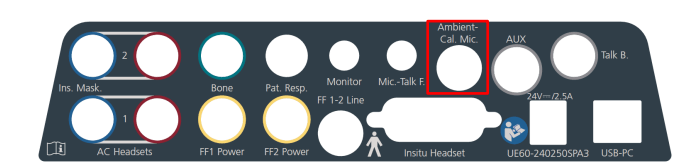
Ensure that you have the FF Calibration Adjustment microphone and FF speakers plugged into your Affinity Compact. The FF Cal socket has been highlighted in the image below.
Launch your Affinity Suite and go into the AC440 Audiometry Module. Click the FF Adjustment icon which can be found in the left panel.
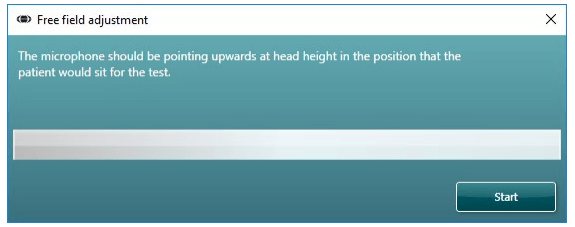
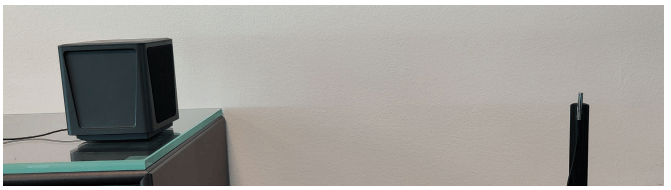
You will now see the below screenYou are required to hold the FF Cal. Mic upright in the position that the patient should sit during testing to complete this process
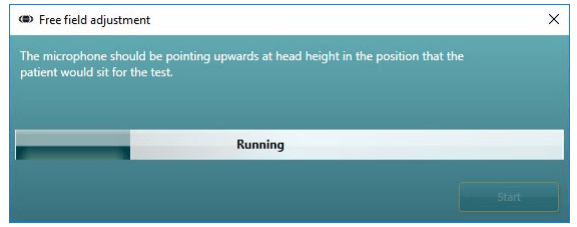
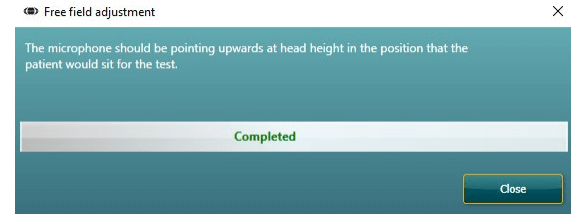
Press the ’Start’ button in the Free field adjustment windowWhen the FF adjustment process is in progress you will see the bar begin to fill and there will be several stimuli played from the speaker(s) to the Ambient-cal mic.The process is fully automated and when completed the system will apply corrections based on the room acoustics to ensure that the correct stimulus can be achieved when performing free field tone or speech audiometry.This process removes the need to have your instrument fully re-calibrated for new environments. Note: Please keep the environment silent during this process and any interfering noise will affect the calibration levels set or cause the process to fail. Note: This process does not overwrite your existing calibration files, it simply adds a correction to them so that the correct stimulus is applied at the reference point in your new environment. On closing the suite this correction is removed. Note: You will need to re-perform this process for every patient tested.
Once this process has successfully completed the Free field adjustment window will state ‘completed’, see example image below
Proceed to perform FF Audiometry or Speech testing as you desire.