Protocol setup
The Self-Paced Saccades (SPS) test is available in VisualEyes™ 525 as an optional test to include in your test battery. This test was not added to the default VisualEyes 525 protocol, as not all patient populations may benefit from this advanced oculomotor assessment.
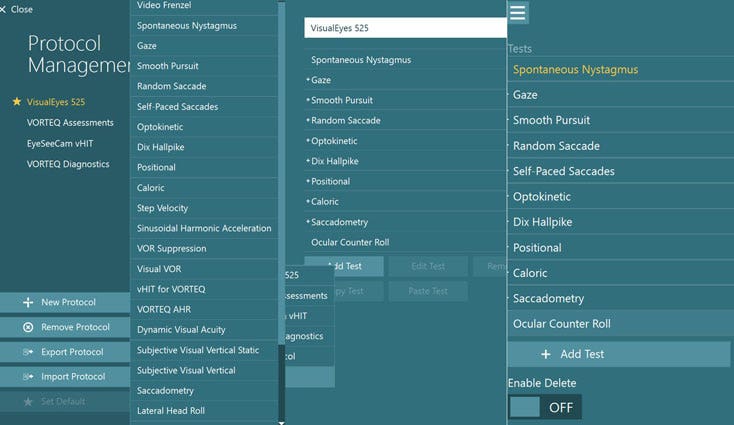
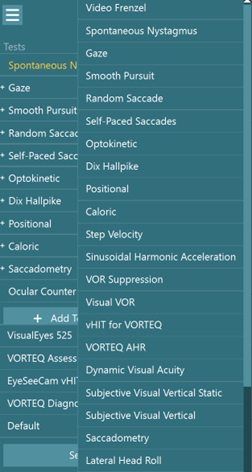
To add Self-Paced Saccades to your protocol, go to “System Default Settings” > “Protocol Management”. Click “Add Test” > “Default” and choose “Self-Paced Saccades” to add to your desired protocol. After this has been added to the protocol, you should see the Self-Paced Saccades test in your test menu.
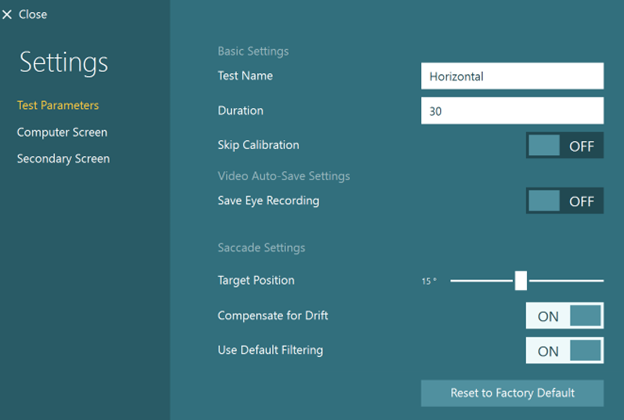
Under protocol management or under temporary settings, you can adjust the target position and duration of the test. The default is 15 degrees for 30 seconds.
You can also add the SPS test if you click “Add Test” from the test menu in a session. This will not add SPS to the permanent protocol for your software, but only the specific session for that patient.
After you have added the test to your test or session protocol, choose the test from the test menu. Instruct the patient to move their eyes back and forth between the two targets as many times as possible within 30 seconds. The test defaults to two horizontal targets, set at 15 degrees to the right and left. The test can also be performed vertically.
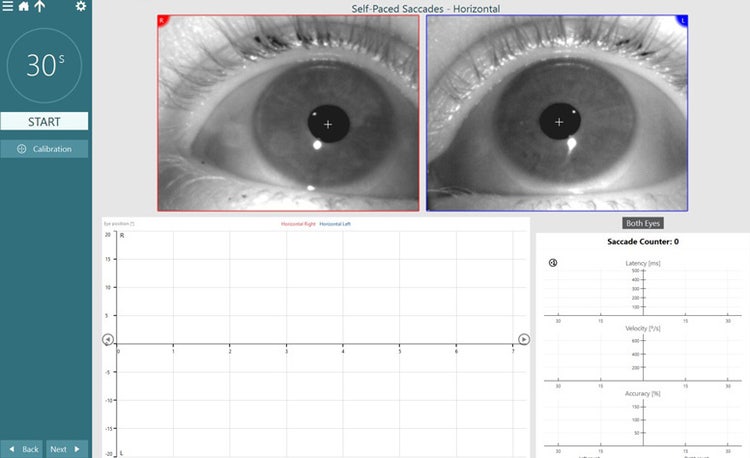
Before the test begins, the patient will see a center target. After you press start, the patient will see the following screen:
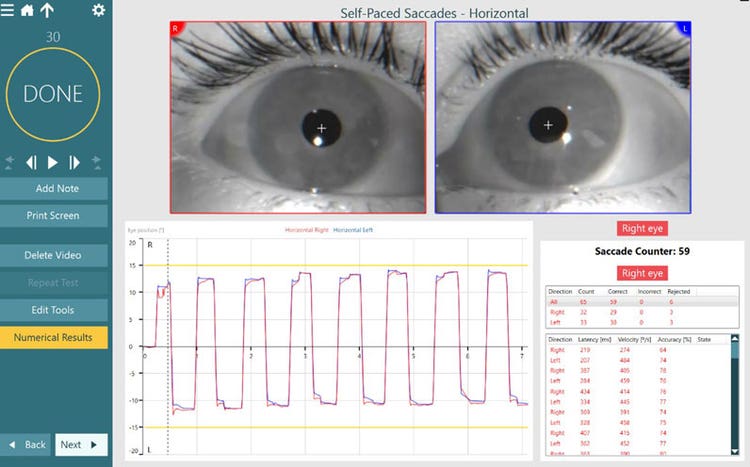
Following completion of the test, you will have four measurement parameters. Three of these are familiar and present in other saccade tests: Latency, Velocity, Accuracy. One parameter is unique to the SPS test: Saccade Counter. This is the number of completed saccades (eye movements) throughout the test.
There is an option to review the numerical results following the test. This data can be viewed from both eyes, right eye, or left eye.