Solutions / Balance Testing Equipment / How to use the Research Module
How to use the Research Module

How to use the Research Module

In this guide, you will learn about the VisualEyes™ videonystagmography (VNG) system's research module.
Get a quote Find a distributor
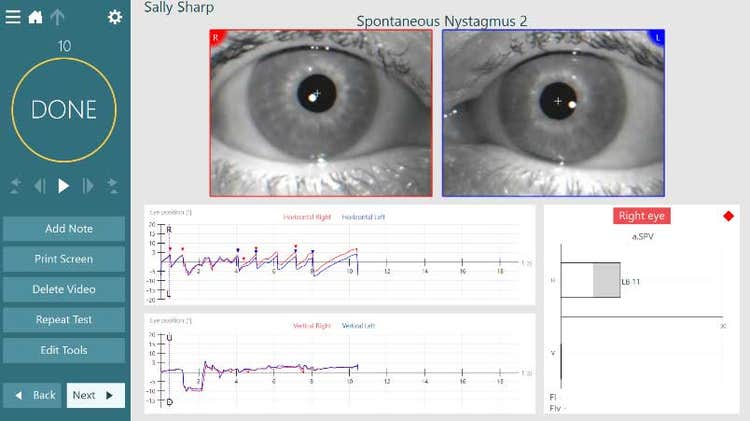
Results overview for spontaneous nystagmus. Left-beating nystagmus with an average slow phase velocity of 11.

VisualEyes™ Support

The Research Module is an advanced add-on feature for researchers and scientists who would like to quickly export large amounts of data so that they can perform customized analysis of the recorded eye and head movements. There are also several features and settings that are only available in this module.

This feature will work with any completed test with recorded eye movements.
Figure 1 – Completed nystagmus test
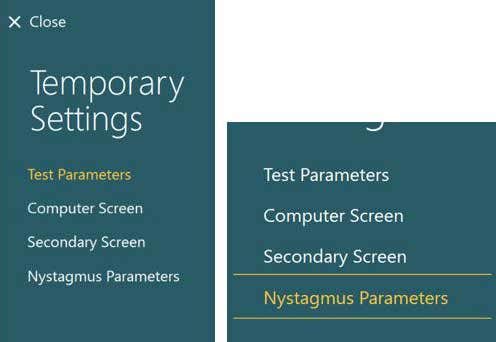
For example, on the above test, you can enter the temporary settings menu and adjust the parameters to accommodate your research protocol.
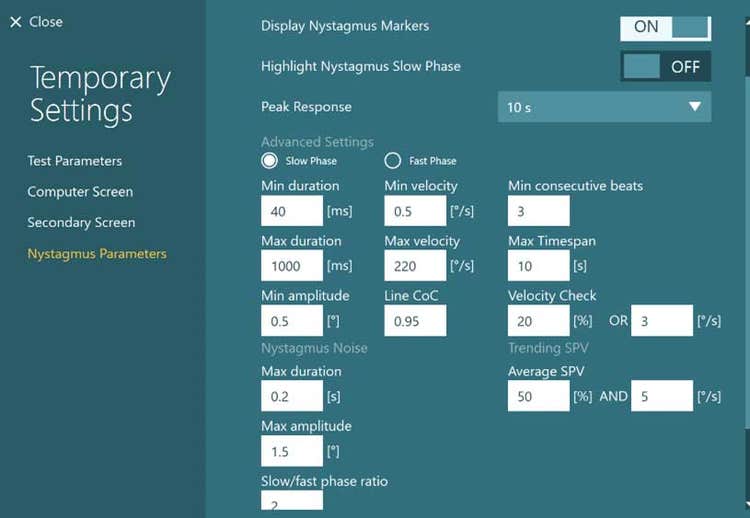
Figure 2 – Temporary Settings; Nystagmus Parameters
Once in the settings menu, you can adjust the parameters that are used in the nystagmus detection algorithm.
Figure 3 – Table of nystagmus detection parameters
Be careful when changing these values, as it will change the clinical values in the data graphs of the nystagmus test. These changes should only be utilized for research purposes.
Many nystagmus parameters, including the following: 1) Display nystagmus markers, which is set to ON. 2) Highlight nystagmus slow phase, which is set to OFF. 3) Peak response, which is set to 10 s. Below are many and identical advanced settings for the slow and fast phases, including the following: 1) Min duration, which is set to 40 ms. 2) Max duration, which is set to 1000 ms. 3) Min amplitude, which is set to 0.5 degrees. 4) Max amplitude, which is set to 1.5 degrees. 5) Slow/fast phase ratio, which is set to 2. 6) Min velocity, which is set to 0.5 degrees per second. 7) Max velocity, which is set to 220 degrees per second. 8) Line CoC, which is set to 0.95. 9) Min consecutive beats, which is set to 3. 10) Max timespan, which is set to 10 s. 11) Velocity check, which is set to 20% OR 3 degrees per second. 12) Average SPV, which is set to 50% AND 5 degrees per second.

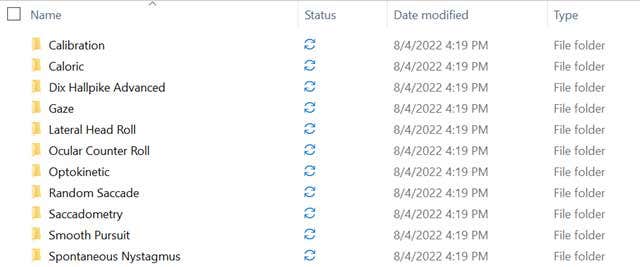
Folders for calibration, caloric, Dix Hallpike advanced, gaze, lateral head roll, ocular counter roll, optokinetic, random saccade, saccadometry, smooth pursuit, and spontaneous nystagmus.

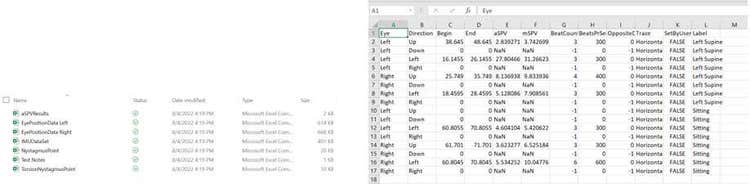
csv exports of average slow phase velocity results, eye position data, IMU data, nystagmus points, test notes, and torsional nystagmus points. An example of one of the spreadsheets is shown, with several columns containing various data, such as aSPV, direction, label, and others.

Contact your local distributor

Our world-wide experts are ready to help you find the right solution.
Find a distributor