How to add a marker and measure pupil diameter
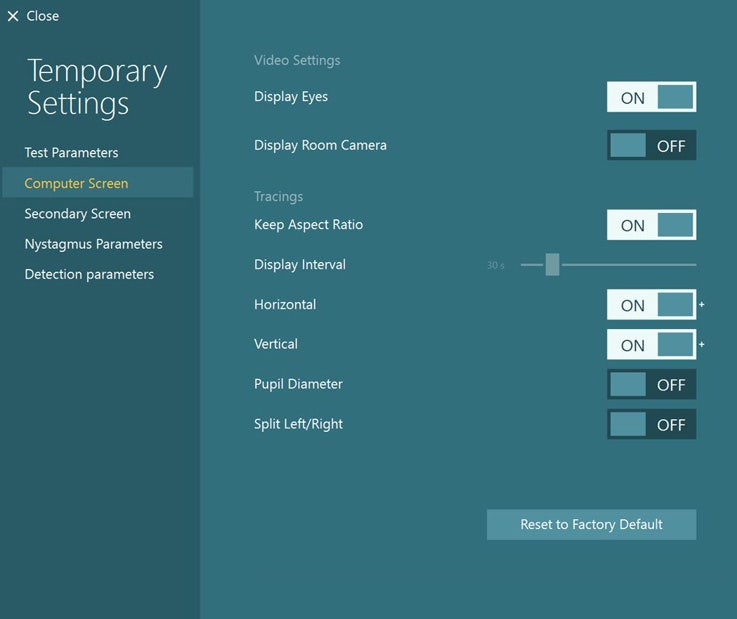
Pupillometry is the measurement of pupil size and reactivity and is a key part of a routine clinical neurological examination. This quick guide will demonstrate how you can use the Pupil Diameter function available in the VisualEyes™ software to perform pupillometry, which you can activate through the test settings (Figure 1).
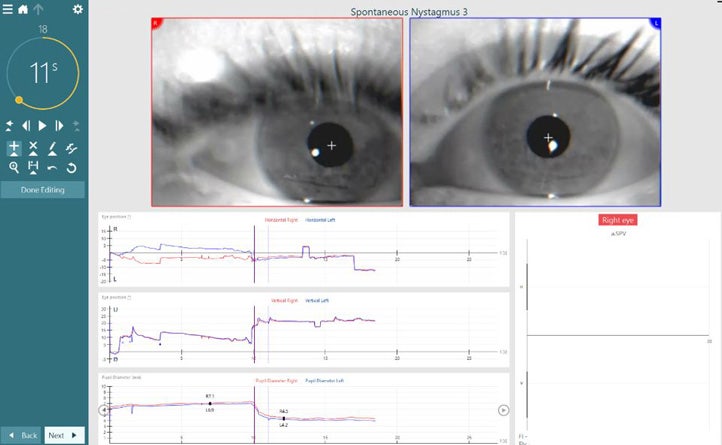
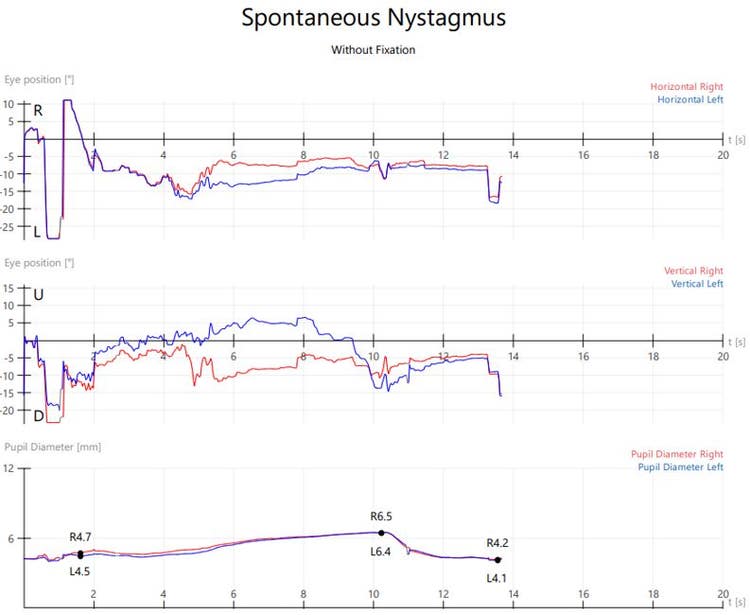
Pupil diameter is reported in millimeters (mm) for maximum clinical impact and correlation. In addition, there is an added tool to mark the pupil diameter and get an exact measurement of pupil size at a specific time point (Figure 2).
Make sure Pupil Diameter is enabled through the settings. You can do this before or after test collection.
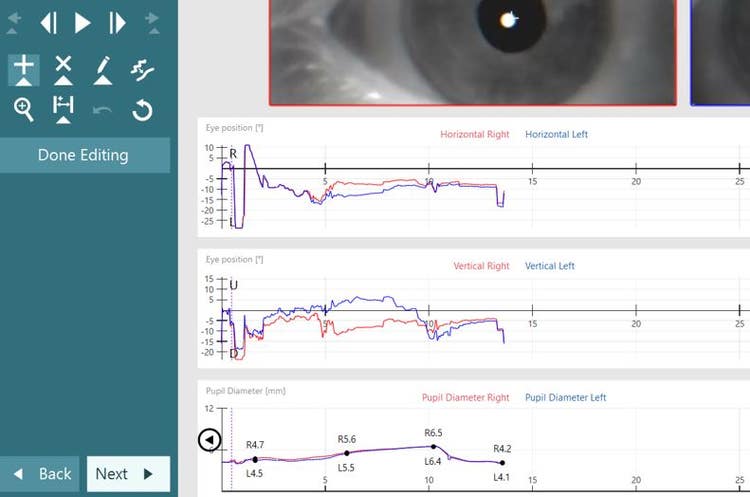
After you have collected test data, go to ‘Edit Tools’, ‘Add Beat’ (´+’ sign) and click on the Pupil Diameter graph where you wish to measure. You can add multiple measurements (Figure 3).
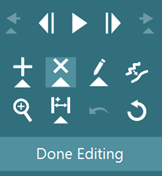
You can remove measured pupil diameters by selecting the X and clicking on the point you wish to remove (Figure 4).
The measured numbers will be displayed at the bottom of the printout for left and right eyes at the corresponding time (Figure 5).
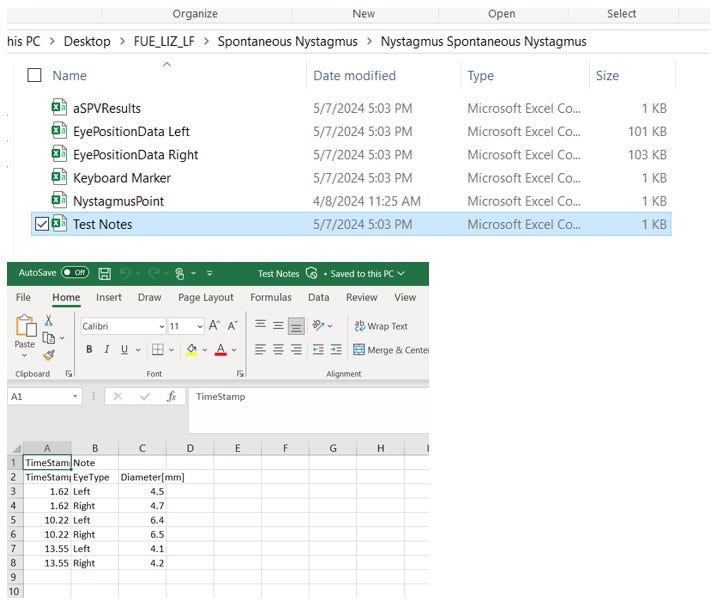
For Research Module users, Pupil Diameter information is exported for each test that it is measured. You can find this information under the ‘Test Notes’ file under each test.
Figure 6: The pupil diameter for right and left eye exported data for Research Module License users.