Protocol setup
Clinicians have always been able to look at eye movements in supine positions; however, we now allow for software-guided positioning for seated positions. These tests allow for the clinician to determine if the neck is contributing to abnormal eye movements or not.
This test was not added to the default VE525 protocol, as not all patient populations may benefit from this specialized oculomotor assessment.
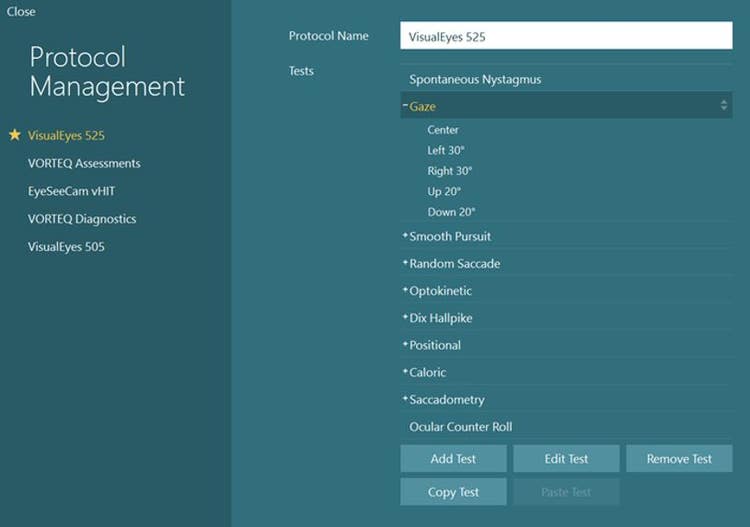
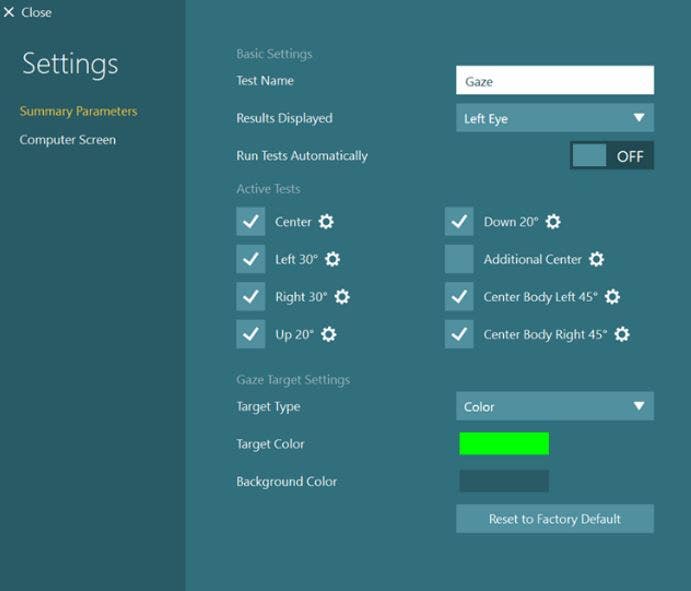
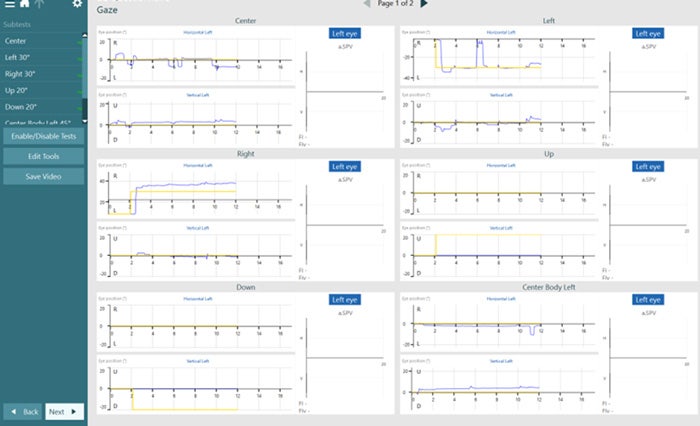
In order to add Cervical Gaze to your protocol, go to “System Default Settings” > “Protocol Management”. Click “Gaze” > “Edit Test” and choose “Center Body Left” and “Center Body Right” to add to your desired protocol. After this has been added to the protocol, you should see the Cervical Gaze sub-tests in the Gaze menu.
You can also add these tests from the Temporary Settings page in a test session.
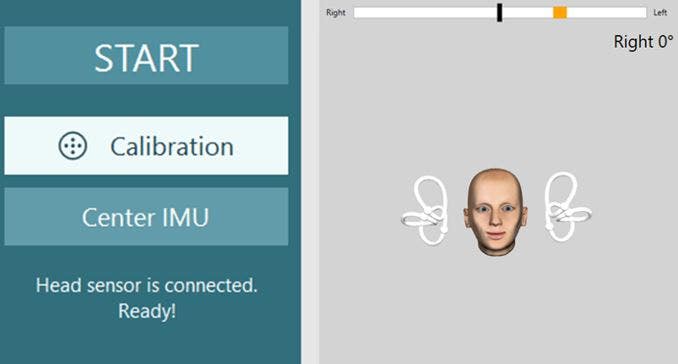
These tests utilize the VORTEQ™ sensor for positioning head and body prior to the test. Before performing the test, make sure your head sensor is on and connected.
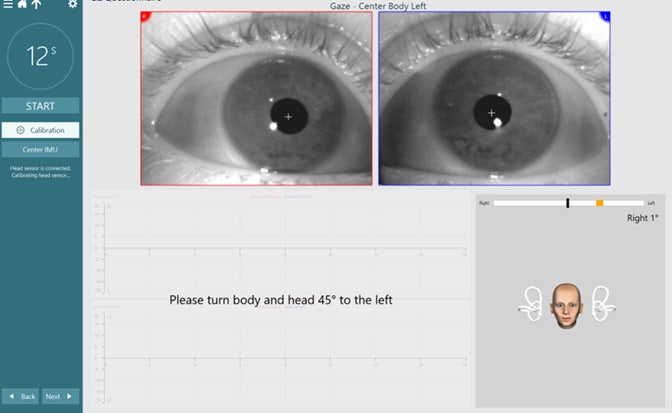
Once the patient is facing the stimulus, center the IMU so the head model is facing forward (like the patient) and the angle by the head model reads 0 degrees.
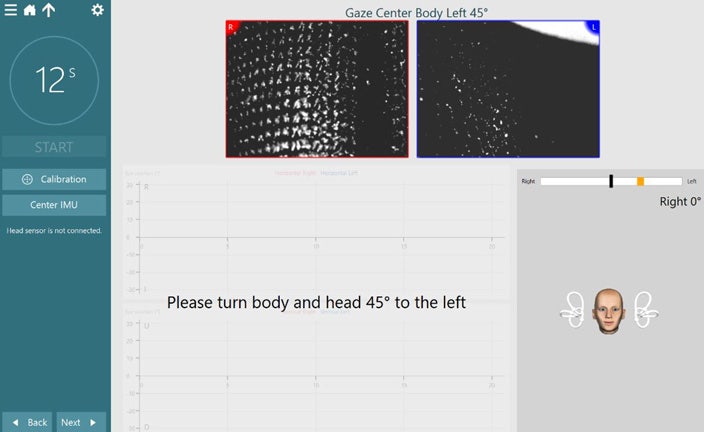
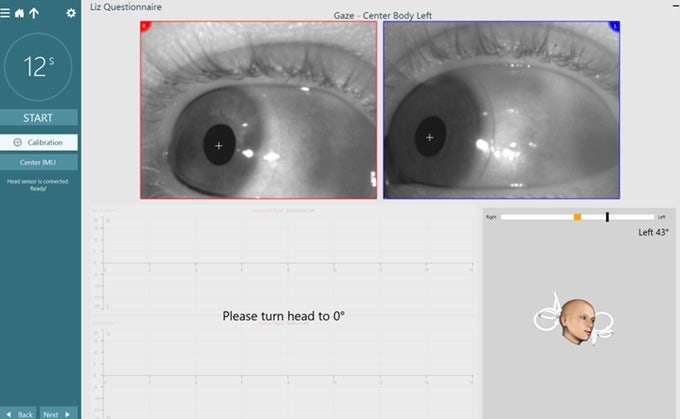
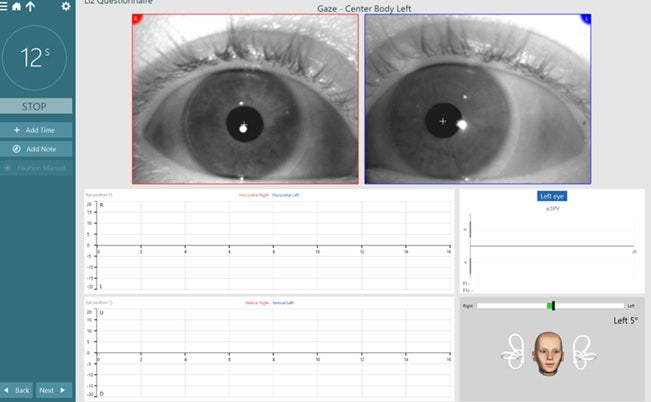
For the test, the software will instruct you to turn the patient’s head and body 45 degrees to the left. When the patient is in the correct position, the orange target bar will turn green.
After two seconds of correct positioning, the target position will move to the 0-degree position indicating the patient’s head only should turn back to center.