Solutions / Balance Testing Equipment / How to set up your HTC Vive Focus Vision VR headset in the morning
How to set up your HTC Vive Focus Vision VR headset in the morning
How to set up your HTC Vive Focus Vision VR headset in the morning
Learn how to set up your HTC Vive Focus Vision VR headset in the morning, used alongside the Virtualis BalanceVR software. Read more.
Overview
This quick guide provides information on how to set up prior to your first patient session in the morning.
1. If you have a portable solution packed in a carry-on suitcase, you first need to set this up.
2. Turn on the computer and launch the VIVE business streaming app.
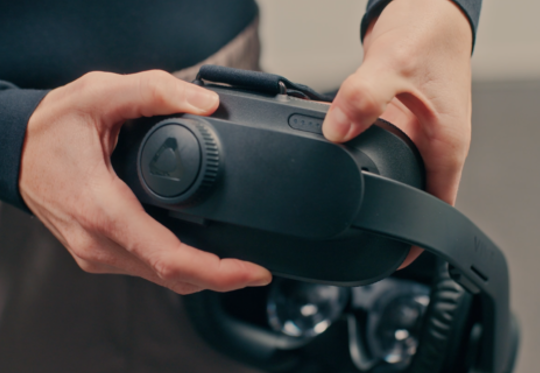
3. Turn on the headset by pressing and holding the button for 3 seconds.
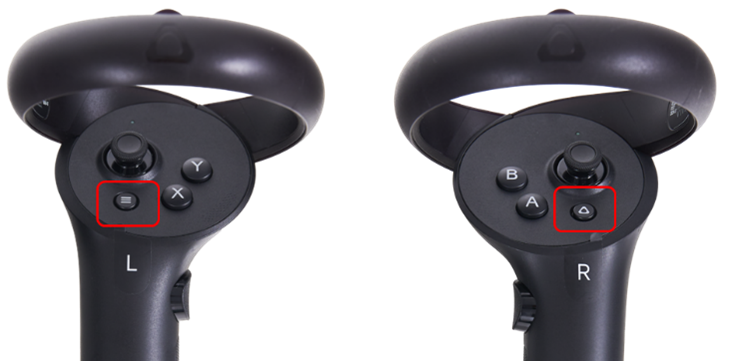
4. Turn on the hand controllers by pressing the menu buttons on both controllers.
If you are connecting wirelessly, the headset, router, and laptop must all be connected to the same Wi-Fi network. The router will display a solid red or blue light. A red light indicates that the router is functioning but does not have internet access. A blue light indicates that the router is connected to the internet. Note: Internet access is not required for the router to function.
When the connection between the laptop and headset is established, the three lines in the VIVE Business Streaming app will turn green.
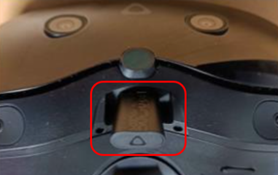
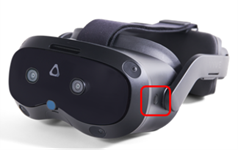
5. If you are using the trackers, insert the dongle in the headset below the nose.



Contact your local distributor
Our world-wide experts are ready to help you find the right solution.