Solutions / Audiometers / How to perform the Weber test with Equinox Evo
How to perform the Weber test with Equinox Evo
How to perform the Weber test with Equinox Evo
Equinox Evo Support
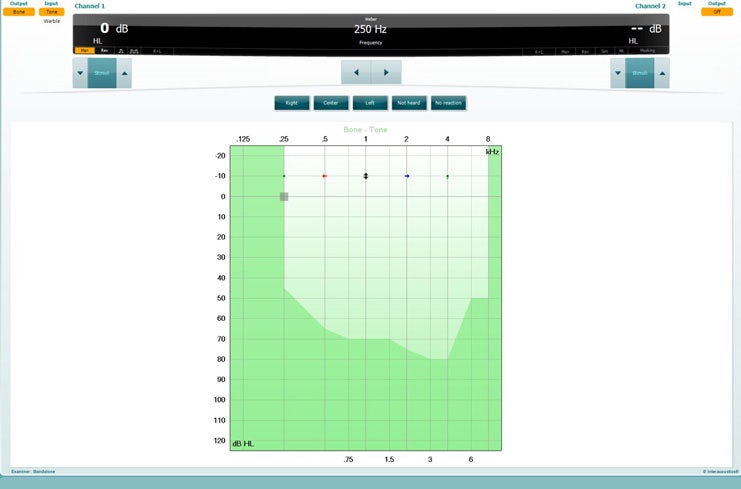
Open the AC440 software and enter the Weber screen by selecting Menu | Tests | Weber.
Input and Output selections for channel 1/channel 2 are fixed Tone and Bone.
Place the bone conductor on the patient’s forehead and instruct them to tell you if the tones presented are heard better to the Right, Left, Center or Not heard.
Present a tone at a level of 10 dB above the worst BC threshold using the dB HL Decrease/Increase buttons or the PC keyboard. You can select whether you want a Tone or Warble stimulus.
Await response from the patient and click on the corresponding button above the graph.
During the testing, the frequency and intensity can be adjusted manually (see illustration).
Save the Weber test by clicking the floppy disk icon.
If the patient hears the tone better in the poorer ear, then the hearing loss is conductive. If the tone is heard better in the better ear, then the hearing loss is sensorineural at the given frequency.
Contact your local distributor
Our world-wide experts are ready to help you find the right solution.