Solutions / Audiometers / How to perform the Speech in Noise (SIN) test with Equinox Evo
How to perform the Speech in Noise (SIN) test with Equinox Evo
How to perform the Speech in Noise (SIN) test with Equinox Evo
Equinox Evo Support
Launch the Equinox Suite from Noah, OtoAccess®, or standalone.
Click on the AUD tab on the upper right-hand side of the screen. Ensure that your audiometry has been performed ahead of advancing into the SIN test as this determines the starting level for the test.
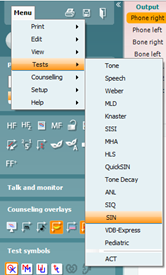
Click on Menu, Tests, and then select SIN.
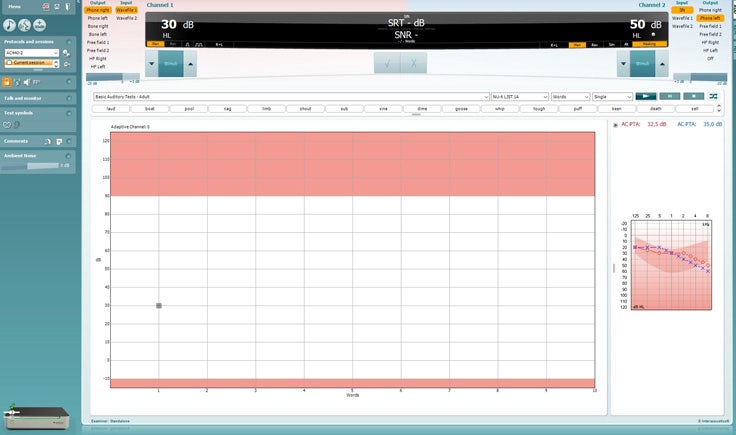
Once in the SIN test screen, the stimuli levels should be set for you. These are based on the patient’s audiogram and the PTA score.
Ensure that your speech material is correct, and the relevant list has been chosen.
Turn on the masking in Channel 2 by clicking from Man to Rev. The masking will need to be turned on manually. This is because you may want to perform an initial familiarization test with the patient without the noise to begin.
Instruct the patient to respond by repeating the words that they hear. Press the play icon to begin the test.
On the patient’s response, score the words correct or incorrect according to their response. The system will automatically increase the next stimulus intensity for an incorrect response and decrease the next stimulus intensity for a correct response.
Contact your local distributor
Our world-wide experts are ready to help you find the right solution.