Solutions / Audiometers / How to perform the Short Increment Sensitivity Index (SISI) test with Equinox Evo
How to perform the Short Increment Sensitivity Index (SISI) test with Equinox Evo
How to perform the Short Increment Sensitivity Index (SISI) test with Equinox Evo
Equinox Evo Support
A patient response button
Headphones or insert phones
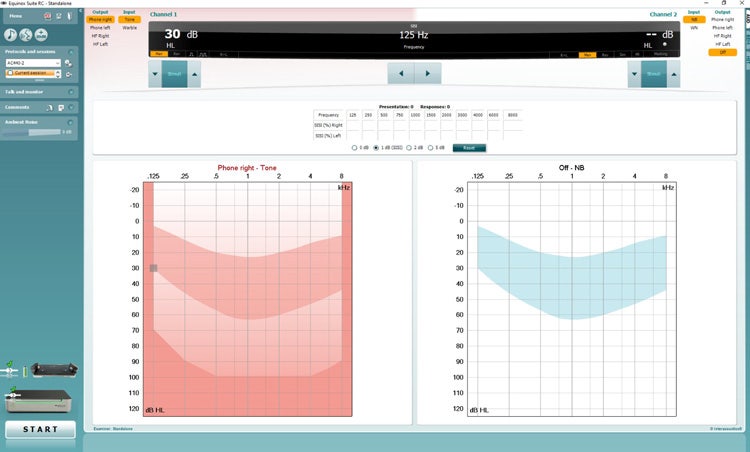
Open the AC440 and enter the SISI screen by selecting Menu | Tests | SISI.
Select Tone or Warble Tone in the channel 1 input list. If needed, masking can be selected in the channel 2 input dropdown list.
Select headphones or inserts on the channel 1 / channel 2 output lists.
Set the input level to 20 dB above threshold using the dB HL Decrease/Increase channel 1/channel 2 buttons or arrow keys on the PC keyboard.
Explain to the patient that they will now hear a series of tones. If suddenly one tone seems louder than the other tones, the response button should be pushed immediately.
Select the preferred type of SISI test. Setting the system to 1 dB increments is the classical SISI. If the patient can hear these increments and scores high, cochlear damage is likely. You may also choose 0 dB, 2 dB, or 5 dB increments.
Contact your local distributor
Our world-wide experts are ready to help you find the right solution.