Solutions / Audiometers / How to use quality assurance indicators with Equinox Evo
How to use quality assurance indicators with Equinox Evo
How to use quality assurance indicators with Equinox Evo
Equinox Evo Support
The Quality Assurance feature is designed to monitor the software during use and provide live feedback to the clinician to ensure that the expected workflow is followed. This is typically beneficial when working in a large infrastructure with sites spread over a wide geographical area; it helps to ensure the same quality of care is maintained throughout the organisation.
Quality Assurance indicators can be found in the Audiometry (AUD) module.
Each indicator can be represented as four different colours which will reflect its analysis status.
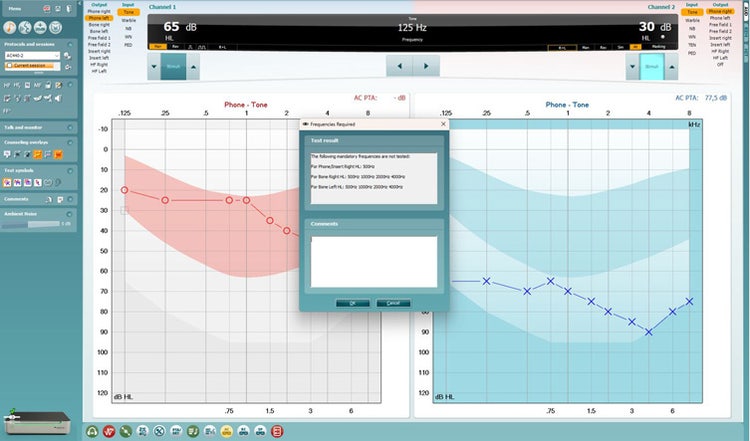
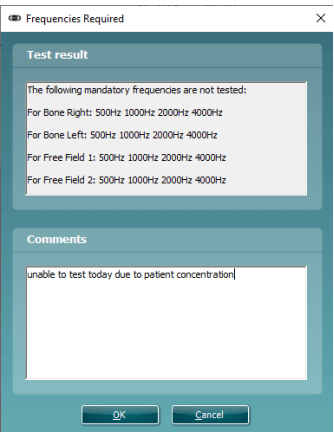
Each indicator can be hovered over with the mouse to give further description of its status, as example ‘Phone Left: 500Hz’. In addition to this, you can click on the indicator to see this description in a small window, where you can also comment against it in the comment field below (see image of this window below).
The ability to comment has been created to allow the clinician the opportunity to justify certain actions which would lead to a non-conformance status (yellow or red) yet they have followed protocol or have reason otherwise for why they cannot achieve a green status indicator.
Once the user has commented against the indicator a small report logo will appear on the indicator to allow quick identification of items with comments when reviewing the data. An example of this is shown below.
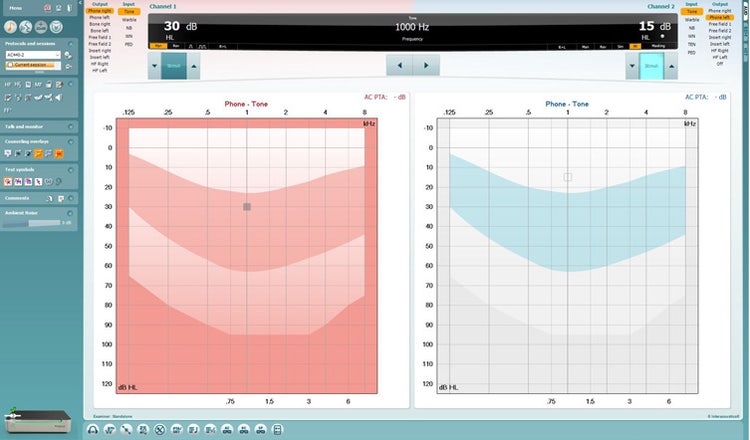
The Audiometry Quality Assurance indicators can be found in the bottom of the Audiometry test screen in the Equinox Suite software, shown in the image below.
In addition to the image above here is a zoomed in image of the different Quality Assurance indicators.

Contact your local distributor
Our world-wide experts are ready to help you find the right solution.