Solutions / Audiometers / How to perform IA-AMTAS with Equinox Evo
How to perform IA-AMTAS with Equinox Evo
How to perform IA-AMTAS with Equinox Evo
Equinox Evo Support
The purpose of this document is to provide a quick guide for the IA-AMTAS, automated audiometry feature found in the AC440 audiometry module in the Equinox Suite.
This quick guide will focus on how to use this function. Further information regarding IA-AMTAS and the configuration options for IA-AMTAS can be found in the Equinox Evo Additional Information document.
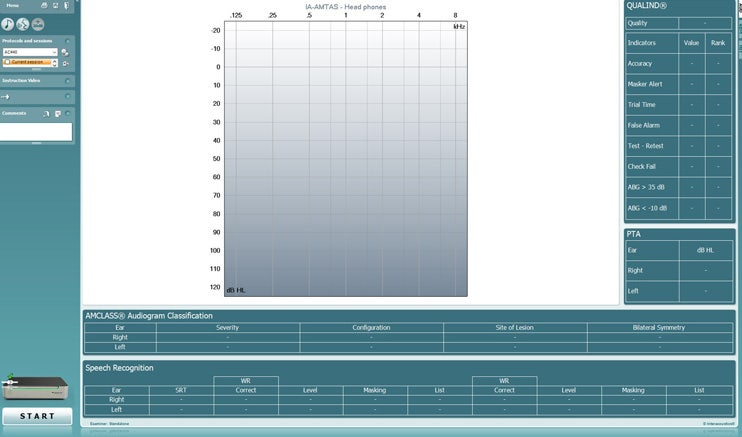
In your Equinox Suite, go to Menu, then Tests and click on IA-AMTAS. On doing this, you will be brought into the screen below.
As no data exists, you will not see anything in the graphs shown on the screen. If you have previous IA-AMTAS sessions, then you will be able to view them along with their quality indicator results here.
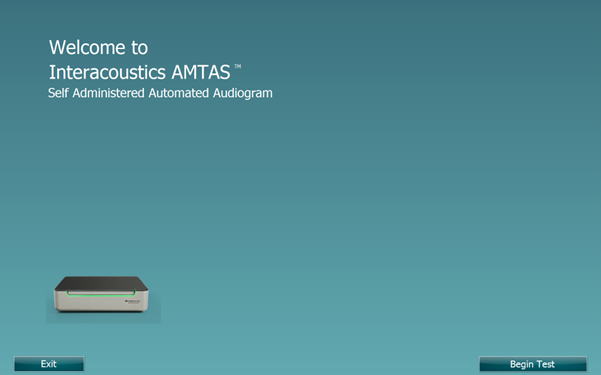
Click ‘Start’ to begin the test, which will bring you into a new screen as shown below.
Figure 2: Welcome screen.
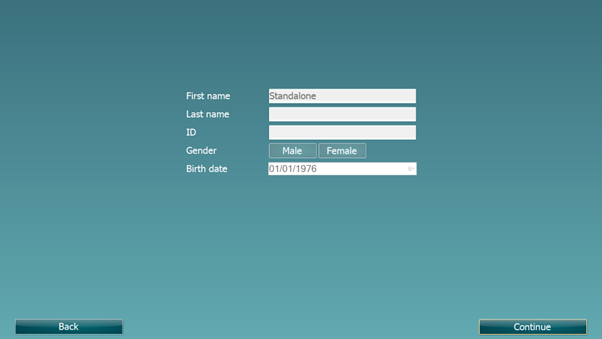
Press on the ‘Begin Test’ button to proceed, which will bring you into a new screen as shown below.
In this screen, you will be shown the patient’s details. These are locked in circumstances when the data is pulled from your database.

Contact your local distributor
Our world-wide experts are ready to help you find the right solution.