Solutions / Audiometers / How to print with Equinox Evo
How to print with Equinox Evo
How to print with Equinox Evo
Equinox Evo Support
This quick guide will describe the options you have for printing with the Equinox Evo.
In the Print Wizard, you have the option to create customized print templates which can be linked to individual protocols for quick printing. The Print Wizard can be reached in two ways.
1: If you want to use a template for general use or select an existing one for printing, select Menu | Print | Print Wizard.
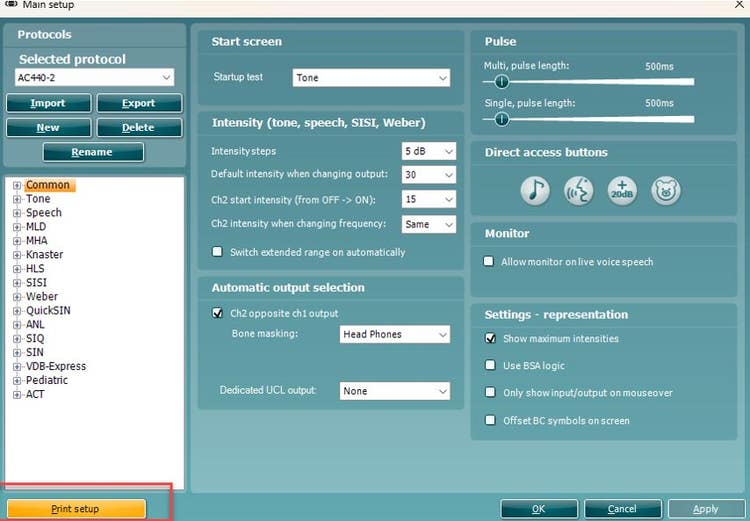
2: If you want to create a template or select an existing one to link to a specific protocol, select Menu | Setup | AC440 setup. Select the specific protocol from the drop-down menu and select Print setup at the bottom of the window (Figure 1).
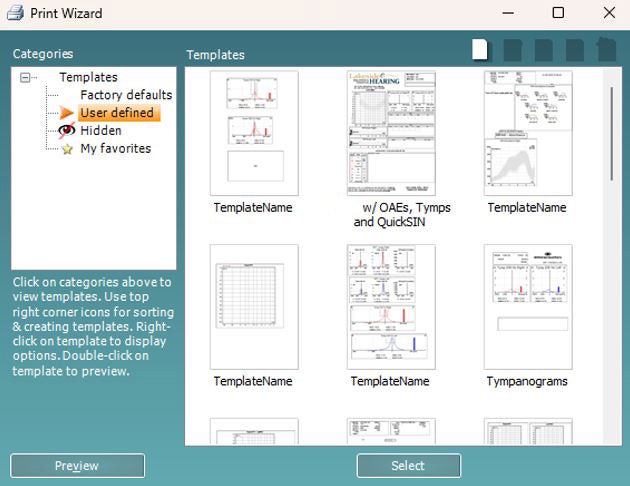
The Print Wizard opens in a new window (Figure 2).
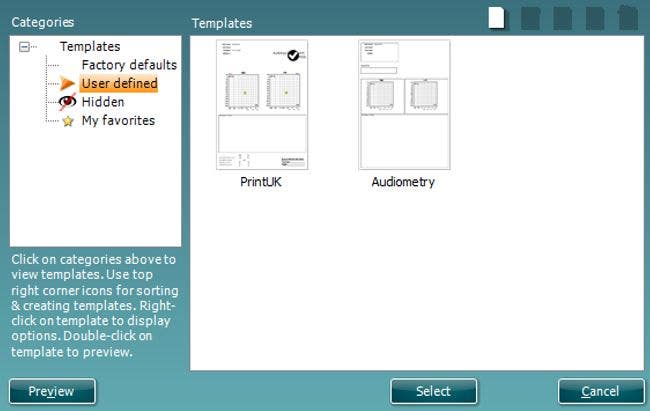
From here it is possible to select factory default print templates or create user defined templates. For more information, read the Equinox Evo Additional Information.
The Equinox Suite allows custom print layouts to be created and used alongside the Viot™, Titan and Affinity suites. This enables data from various tests to be combined into one convenient printout.
Open the Equinox Suite from your patient management system: Noah, OtoAccess®, or standalone.

Contact your local distributor
Our world-wide experts are ready to help you find the right solution.