Solutions / ABR Equipment / Getting started with the Eclipse Aided Cortical Module
Getting started with the Eclipse Aided Cortical Module
Getting started with the Eclipse Aided Cortical Module
In this guide, you'll learn how to perform the Aided Cortical test with the Intercoustics Eclipse, including patient preparation, stimuli, and more.

Aided Cortical module Support
This document serves as a quick run through on how to perform an aided cortical measurement. We refer to the Eclipse support page that contains the Additional Information and Instructions For Use documents for more information.
Aided cortical testing is a cortical measurement performed in a free field setting while the patient is wearing their hearing aid(s) and/or cochlear implant(s). This test can also be performed without their device.
The purpose of performing aided cortical testing is to measure if the patient receives appropriate input from their hearing aid and/or cochlear implant(s) using speech-like stimuli, to assess their access to speech sounds using their device.
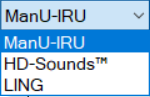
First, open your EP software and choose the Aided Cortical protocol from the protocol dropdown list.
This protocol is set up and ready to use.
It is recommended to use sound field analysis before each session at the position where the patient will be tested to ensure the sound presented is correct, as changes in the room and patient placement can influence the intensity of the stimuli.
Refer to the Eclipse Additional Information document for more information about the sound field analysis.
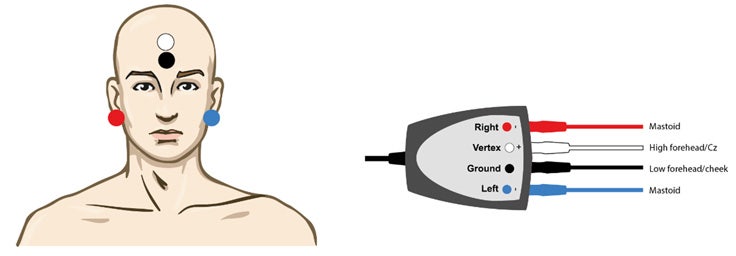
Second, clean the patient’s skin and mount the electrodes as you would with ABR, ASSR or ALR. Impedances below 5kOhm are recommended.
Contact your local distributor
Our world-wide experts are ready to help you find the right solution.